Inteligentne zamki z asystentem domowym: Przewodnik dla kupujących, dla których najważniejsza jest prywatność
Wybrałeś inteligentny zamek. Potem przeczytałeś drobny druk i odkryłeś trzy rzeczy: każde zdarzenie odblokowania przechodzi przez serwery producenta, „zaawansowane" funkcje, które widziałeś w filmie demonstracyjnym, są ukryte za miesięcznym abonamentem, a zamek staje się drogim przyciskiem do papieru w dniu, w którym dostawca zdecyduje się zakończyć wsparcie dla danej linii produktów. To argument za wyborem inteligentnego zamka Home Assistant zamiast tego — zamka, który komunikuje się wyłącznie z małym komputerem w Twoim domu, działa bez internetu i nie generuje żadnych comiesięcznych opłat. Ten przewodnik omawia, które zamki integrują się lokalnie z Home Assistant, ile faktycznie kosztują w perspektywie pięciu lat, jak wygląda konfiguracja krok po kroku oraz automatyzacje, których zamek chmurowy nigdy Ci nie zaoferuje. Set Smart Home, instalator z siedzibą w Warszawie, buduje takie systemy dla mieszkań, domów, hoteli i biur, gdy czytelnik woli instalację tego samego dnia niż weekend spędzony na majsterkowaniu.
Spis treści
- Dlaczego zamki połączone z chmurą tworzą ukryty dług bezpieczeństwa
- Inteligentne zamki Home Assistant vs. zamki wyłącznie chmurowe vs. systemy hybrydowe
- Inteligentne zamki działające lokalnie z Home Assistant
- Od rozpakowania do pierwszej automatyzacji: przewodnik po konfiguracji
- Automatyzacje, których zamki chmurowe nigdy Ci nie zaoferują
- Pięcioletnia rzeczywistość kosztowa: zamki lokalne vs. chmurowe
- Odpowiedzi na pytania kupujących, zanim złożysz zamówienie
Dlaczego zamki połączone z chmurą tworzą ukryty dług bezpieczeństwa
Twój sceptycyzm wobec zamków połączonych z chmurą jest w pełni uzasadniony. Popularne produkty, takie jak August, Yale Access, Schlage Encode i Wyze Lock, kierują uwierzytelnianie, logi wejść, a w niektórych przypadkach dane telemetryczne Bluetooth i Wi-Fi na żywo przez chmurę producenta. Wybór inteligentnego zamka Home Assistant to przede wszystkim wybór, by przestać generować ten ślad danych. Aby zrozumieć, dlaczego to ma znaczenie, warto przyjrzeć się czterem konkretnym wzorcom, które branża znormalizowała.
Gdzie fizycznie znajdują się Twoje dane. Każde zdarzenie odblokowania — kto, kiedy, z jakiego adresu IP, z jaką geolokalizacją — jest zapisywane w bazie danych należącej do producenta. Nie masz żadnego dostępu do audytu poza tym, co RODO zmusza dostawcę do ujawnienia, żadnej gwarancji usunięcia kopii zapasowych ani żadnego wglądu w udostępnianie danych stronom trzecim — dostawcom analityki, partnerom ubezpieczeniowym czy organom ścigania na podstawie wezwania sądowego. Zamek w Twoich drzwiach wejściowych to, w kategoriach ochrony danych, ciągły czujnik behawioralny wymierzony w Twoje gospodarstwo domowe — a odbiorcą tych danych jest firma, z którą nie łączy Cię żadna relacja handlowa poza jednorazowym zakupem sprzętu.
Wzorzec degradacji abonamentu. To obecnie standardowy scenariusz w całej branży inteligentnego domu: zamek trafia na rynek z automatycznym odblokowaniem, pełną historią aktywności i nieograniczoną liczbą kodów gościa w cenie. W ciągu 18 do 24 miesięcy dostawca przenosi „rozszerzoną historię" wykraczającą poza siedem dni do płatnego pakietu, dodaje „inteligentne alerty" do tego samego pakietu i po cichu ogranicza możliwości darmowego planu. Sprzęt się nie zmienił. Zmieniła się umowa licencyjna. Ring Protect, Nest Aware i Wyze Cam Plus ustanowiły ten wzorzec w kategorii kamer; linie produktów zamków zmierzają w to samo miejsce.
Awaria chmury oznacza brak dostępu. Gdy serwer uwierzytelniania dostawcy jest nieosiągalny, aplikacja producenta nie może dostarczyć polecenia odblokowania — nawet jeśli Twój telefon leży piętnaście centymetrów od zamka. Większość zamków chmurowych zachowuje fizyczny klucz lub klawiaturę PIN jako rozwiązanie awaryjne, więc nie zostajesz dosłownie zablokowany na zewnątrz, ale inteligentne funkcje, za które zapłaciłeś, znikają. Precedens dla wycofania produktu przez dostawcę nie jest teoretyczny. Insteon nagle wyłączył swoją chmurę w kwietniu 2022 roku, pozostawiając tysiące urządzeń w stanie połowicznej funkcjonalności. Wink w 2020 roku przeniósł klientów na wymuszone abonamenty. Best Buy zakończył swoją platformę Insignia Connect w 2019 roku. W każdym przypadku sprzęt, który działał wczoraj, przestał działać dziś.
Fałszywa dychotomia. Marketing dostawców przedstawia wybór jako „wygodę chmury kontra głupi zamek offline". To copywriting marketingowy, a nie ograniczenie inżynieryjne. Inteligentny zamek stawiający prywatność na pierwszym miejscu w połączeniu z Home Assistant zapewnia każdą funkcję chmurową — zdalne odblokowanie, automatyzacje, ograniczone czasowo kody gościa, sterowanie głosowe — bez tego, by Twoje dane opuszczały sieć domową. Chmura nigdy nie była wymagana, żeby funkcje działały; była wymagana, żeby działał abonament.
Co „lokalne" faktycznie oznacza w przypadku Home Assistant. Home Assistant działa na małym komputerze w Twoim domu: Raspberry Pi 4, urządzeniu Home Assistant Green, mini PC z procesorem Intel lub serwerze NAS. Natywnie obsługuje Zigbee, Z-Wave, Matter, Bluetooth Low Energy i Wi-Fi. Twój zamek komunikuje się wyłącznie z tym lokalnym hubem. Jeśli chcesz zdalnego odblokowania spoza domu, wybierasz jak: szyfrowany tunel Nabu Casa za 6,50 € miesięcznie (opcjonalnie), samodzielnie hostowany VPN WireGuard lub Tailscale (bezpłatny po jednorazowej konfiguracji) albo brak zdalnego dostępu w ogóle. Wybór inteligentnego zamka bez abonamentu nie oznacza rezygnacji z funkcji. Oznacza posiadanie infrastruktury, na której te funkcje działają. Stos zamka offline — hub plus zamek — robi wszystko, co robi zamek chmurowy, oraz kilka rzeczy, których zamek chmurowy nie potrafi, a które szczegółowo omawiają kolejne sekcje.
Inteligentny zamek, który potrzebuje pozwolenia z cudzego serwera, żeby otworzyć Twoje drzwi, nie jest Twoim zamkiem. To usługa, którą wynajmujesz, z dołączonym sprzętem.
Inteligentne zamki Home Assistant vs. zamki wyłącznie chmurowe vs. systemy hybrydowe
Większość kupujących ostatecznie wybiera spośród trzech architektur, a różnice nie są kosmetyczne. Decydują one o tym, co Twój zamek potrafi zrobić, gdy internet padnie, jak bardzo jesteś narażony na zmianę modelu cenowego przez dostawcę i jak łatwo możesz rozbudować system, gdy zdecydujesz, że chcesz czegoś więcej niż tylko inteligentnych drzwi wejściowych. Poniższa tabela wykorzystuje pojedynczą instalację inteligentnego zamka Home Assistant jako punkt odniesienia względem dwóch alternatyw skłaniających się ku chmurze.
| Kryterium | Home Assistant (lokalny) | Zamek wyłącznie chmurowy | Hybrydowy (chmura + lokalny) |
|---|---|---|---|
| Gdzie znajdują się dane o wejściach | Hub lokalny | Serwery chmurowe dostawcy | Chmura dostawcy + lokalna pamięć podręczna |
| Działanie przy braku internetu | Pełne sterowanie w sieci LAN | Aplikacja nie może połączyć się z zamkiem | Tylko kody ręczne |
| Koszt cykliczny | 0 € (lub 6,50 €/mies. za zdalny dostęp) | 5–15 €/miesiąc | 3–10 €/miesiąc |
| Nakład na konfigurację | Umiarkowany, wymagany hub | Niski, aplikacja i Wi-Fi | Niski do umiarkowanego |
| Elastyczność automatyzacji | Nieograniczona, między urządzeniami | Zablokowana przez dostawcę | Zablokowana przez dostawcę z lukami w API |
| Długoterminowe ryzyko ekosystemu | Niskie, open-source | Wysokie, wycofanie przez dostawcę = bezużyteczny sprzęt | Średnie |
To, który wiersz ma największe znaczenie, zależy od tego, kim jesteś. Świadomy prywatności właściciel domu czyta pierwszy wiersz i na tym poprzestaje. Wynajmujący, którego najemcy podróżują służbowo, zwraca uwagę na drugi wiersz — awaria dostawcy internetu w Warszawie nie może stać się utratą dostępu w Berlinie. Kierownik hotelu zarządzający 40 pokojami czyta wiersze piąty i szósty, ponieważ zwrot dostawcy, który wymusza ponowne parowanie każdego zamka, jest operacyjnie nie do przetrwania na dużą skalę. Kierownik biura, który chce, aby drzwi koordynowały się z kalendarzem sali konferencyjnej, żyje w wierszu piątym.
Nakład na konfigurację zasługuje na uczciwą analizę. Home Assistant nie działa od razu po podłączeniu. Sam hub kosztuje od 100 do 500 € w zależności od wybranej konfiguracji, a pierwsza konfiguracja zajmuje od 2 do 6 godzin dla użytkownika swobodnie posługującego się Linuksem — albo jedną wizytę instalatora tego samego dnia. Zamki chmurowe wymagają 15 minut od wyjęcia z pudełka do działającej aplikacji. Wybór nie brzmi „dobry kontra zły". Brzmi „kup raz" kontra „wynajmuj wiecznie", a czynsz się kumuluje. Porównanie Control4 z Home Assistant omawia ten wybór bardziej szczegółowo dla czytelników rozważających szersze pytanie o ekosystem; Home Assistant pozostaje dominującym wyborem, gdy kupujący chcą platformy open-source zamiast relacji z dostawcą.
Systemy hybrydowe to zakład przejściowy, a nie cel. August Wi-Fi Smart Lock, Yale Assure 2 i kilka niedawnych produktów obsługujących Matter można technicznie przenieść pod lokalną kontrolę za pomocą Home Assistant, ale aplikacja producenta pozostaje głównym interfejsem, a konto chmurowe rzadko jest opcjonalne. Traktuj zamki hybrydowe jako zamki chmurowe z furtką ewakuacyjną. Są przydatne podczas migracji z w pełni chmurowej konfiguracji, a zawodzą jako ostateczna postawa dotycząca prywatności.
Inteligentne zamki działające lokalnie z Home Assistant
Nie każdy zamek reklamowany jako „kompatybilny z Home Assistant" faktycznie działa offline. Niektóre wymagają chmury dostawcy do skonfigurowania integracji, a potem działają lokalnie. Inne są w pełni lokalne od pierwszego parowania. Poniżej znajdują się opcje, które niezawodnie działają w instalacji inteligentnego zamka Home Assistant w Polsce i na szerszym rynku UE według stanu na 2024 rok.
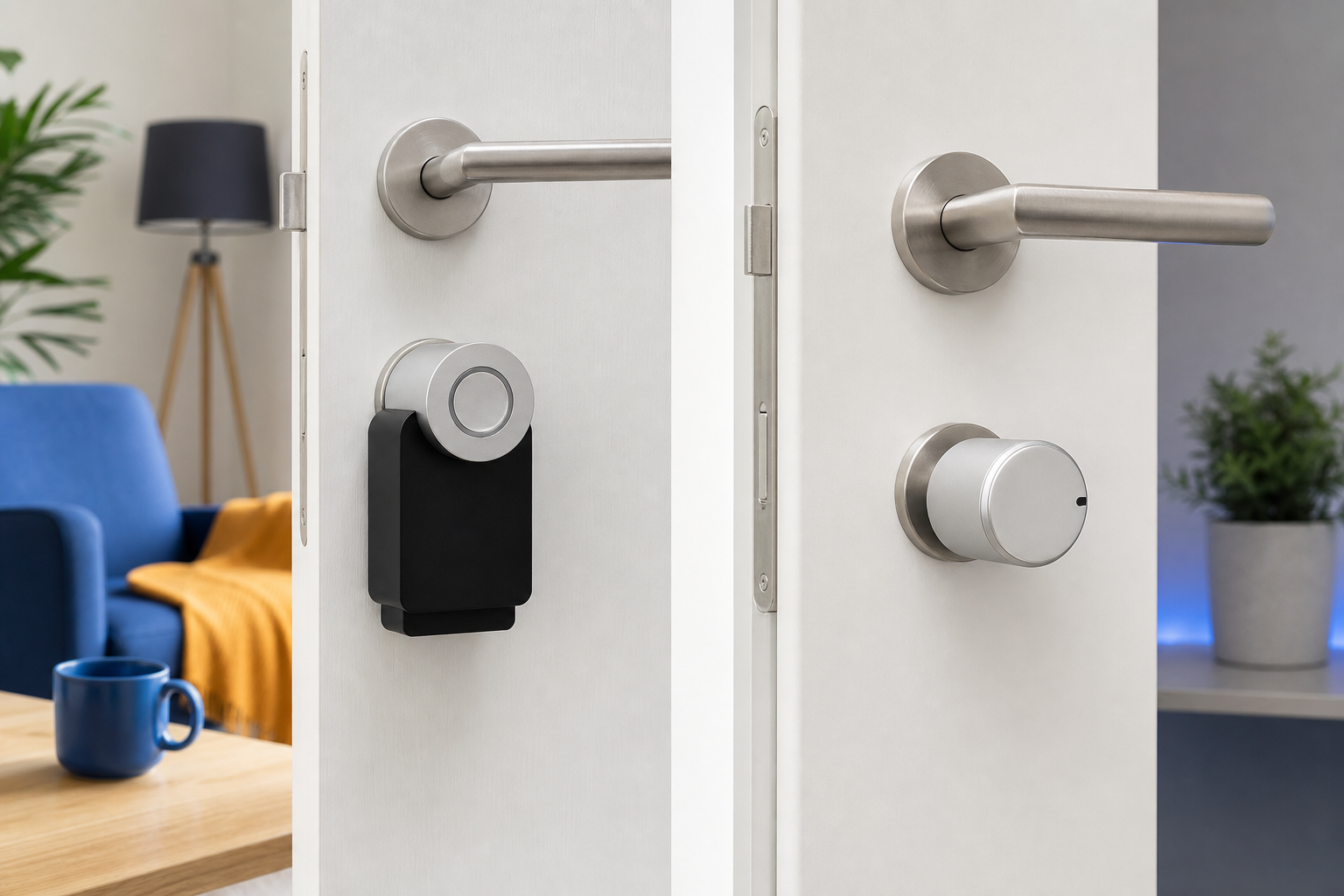
- Nuki Smart Lock 4 Pro / Nuki Smart Lock Go. Zamek nakładkowy, który montuje się na istniejącej gałce — bez wiercenia, bez modyfikacji drzwi, bez wymiany wkładki. Zbudowany dla europejskich wkładek euro-profilowych, które dominują w polskich mieszkaniach. Integruje się z Home Assistant za pomocą natywnej integracji Nuki przez Bluetooth lub przez Nuki Bridge w sieci LAN poprzez udokumentowane lokalne API HTTP. Zakres cenowy: 229–329 €. Żywotność baterii: 6 do 12 miesięcy na 4× AA. Zdolny do pracy offline po początkowym parowaniu; konto Nuki Web jest opcjonalne, jeśli pominiesz zdalny dostęp. Integracja Nuki z Home Assistant jest jedną z bardziej dojrzałych w ekosystemie, z aktywnym utrzymaniem przez społeczność.
- Aqara Smart Lock U100 / U200. Zamek Zigbee plus Bluetooth. U200 to nakładka do drzwi z europejską wkładką euro-cylindrową; U100 to pełna wymiana zamka zapadkowego, bliższa standardowi amerykańskiemu. Paruje się bezpośrednio z dowolnym koordynatorem Zigbee — Home Assistant SkyConnect, Sonoff ZBDongle-E lub istniejącą konfiguracją Zigbee2MQTT — bez potrzeby huba Aqara ani konta chmurowego przy użyciu ZHA lub Zigbee2MQTT. Zakres cenowy: 180–250 €. Czytnik linii papilarnych, klawiatura i obsługa kart NFC w zestawie. Warto wiedzieć: niektóre wersje oprogramowania nadal łączą się z serwerem w celu sprawdzenia aktualizacji; zablokuj zamek na poziomie routera, jeśli celem jest ścisła izolacja.
- Loqed Touch Smart Lock. Holenderska marka zaprojektowana specjalnie dla rynku europejskiego — nakładka na wkładkę euro-cylindrową, zaprojektowana wokół standardu drzwi UE, a nie do niego dostosowana. Natywna integracja z Home Assistant przez lokalny webhook. Cena: 299 €. Wsparcie Matter-over-Thread jest wdrażane w kolejnych wersjach oprogramowania; po włączeniu zamek jest w pełni lokalny, bez konta dostawcy w ścieżce operacyjnej. Świetnie pasuje do warszawskich mieszkań ze względu na natywną zgodność z wkładkami i dostępność w magazynach UE.
- Tedee GO / Tedee PRO. Zaprojektowany w Polsce zamek nakładkowy — istotny dla kupujących, którzy chcą lokalnego wsparcia i dostępności części w Polsce. Oparty na Bluetooth, montuje się na istniejącej gałce w mniej niż 15 minut. Integracja z Home Assistant za pomocą Tedee Bridge udostępnia lokalne API. Zakres cenowy: 179–349 €. Lokalna kontrola jest potwierdzona; konto chmurowe Tedee jest wymagane tylko wtedy, gdy chcesz zdalnego odblokowania spoza sieci domowej.
- Zamki Z-Wave (Yale Assure 2 Z-Wave, Schlage BE469ZP). Parują się bezpośrednio z koordynatorem Z-Wave, takim jak Zooz 800LR lub Aeotec Z-Stick. 100% lokalne od momentu parowania — konto dostawcy nigdy nie istnieje. Zakres cenowy: 200–280 $ dla jednostek na rynek amerykański; dostępność w UE jest bardziej ograniczona, a import bywa jedyną drogą. Najlepszy wybór dla kupujących, którzy nie chcą żadnej relacji z dostawcą po sfinalizowaniu zakupu sprzętu.
Od rozpakowania do pierwszej automatyzacji: przewodnik po konfiguracji
Wybrałeś zamek z powyższej listy. Kolejne dwie godziny decydują o tym, czy system będzie sprawiał wrażenie czystej instalacji, czy weekendowego projektu. Poniżej znajduje się praktyczna sekwencja wdrożenia — siedem kroków, które prowadzą nową instalację od zamkniętego pudełka do działającej automatyzacji. Jeśli którykolwiek krok w tej sekwencji sprawi Ci dyskomfort, jest to uczciwy sygnał, żeby zlecić instalację, a nie przeć na siłę.
- Sprawdzenie zgodności przed zakupem (15 minut). Potwierdź dokładny numer modelu zamka na liście integracji na home-assistant.io/integrations. Sprawdź typ wkładki w drzwiach: euro-profilowa (typowa w Polsce), zapadkowa (mortise) lub amerykański zamek zapadkowy. W przypadku zamków nakładkowych, takich jak Nuki i Tedee, zmierz odstęp od gałki — większość korpusów nakładkowych potrzebuje 30 do 40 mm wolnej przestrzeni za wkładką. Drzwi z grubymi ozdobnymi szyldami lub wpuszczonymi gałkami czasami wymagają zestawu dystansowego.
- Skonfiguruj hub Home Assistant (30–90 minut). Jeśli jeszcze nie korzystasz z Home Assistant, zainstaluj Home Assistant OS na Raspberry Pi 4 z 4 GB lub więcej pamięci RAM, urządzeniu Home Assistant Green za 99 € lub Home Assistant Yellow z modułem obliczeniowym Pi. Połącz się przez Ethernet — Wi-Fi działa, ale Ethernet eliminuje całą klasę przerywanych awarii z Twojego budżetu niezawodności. Ukończ kreatora wprowadzającego, ustaw silne hasło administratora i włącz automatyczne kopie zapasowe na dysku USB lub udziale sieciowym.
- Dodaj koordynator radiowy, jeśli Twój zamek go wymaga (15 minut). W przypadku zamków Zigbee, takich jak Aqara U200, podłącz SkyConnect lub Sonoff ZBDongle-E do portu USB huba i dodaj integrację ZHA lub Zigbee2MQTT. W przypadku zamków Z-Wave podłącz Zooz 800LR. W przypadku zamków tylko z Bluetooth, takich jak Nuki i Tedee, użyj wbudowanego Bluetooth huba (ograniczony zasięg) lub wdroż serwer proxy Bluetooth na ESP32 umieszczonym przy drzwiach — sprzęt za 15 €, który rozwiązuje większość problemów z zasięgiem.
- Fizyczna instalacja zamka (20–40 minut). Przykład nakładki dla Nuki: wyjmij klucz z wewnętrznej wkładki, przymocuj płytę montażową Nuki wokół gałki, wsuń korpus zamka na płytę, włóż 4 baterie AA. Bez wiercenia, bez wymiany wkładki, w pełni odwracalne. W przypadku wymiany amerykańskiego zamka zapadkowego na Schlage Z-Wave: usuń istniejący zamek zapadkowy, zainstaluj nowy mechanizm, sprawdź wyrównanie zaczepu, przetestuj klucz ręczny przed włączeniem komponentów inteligentnych.
- Sparuj zamek z Home Assistant (10 minut). W Home Assistant przejdź do Ustawienia → Urządzenia i usługi → Dodaj integrację, a następnie wyszukaj markę zamka. Postępuj zgodnie z instrukcją parowania — zwykle długie naciśnięcie przycisku na zamku, czasami zeskanowanie kodu QR z dokumentacji zamka. Potwierdź, że urządzenie pojawia się na pulpicie z elementami sterującymi blokowaniem i odblokowywaniem oraz stanem baterii. Jeśli parowanie się nie powiedzie, najczęstszą przyczyną jest zasięg radiowy; przesuń hub lub dodaj serwer proxy.
- Zbuduj pierwszą automatyzację (15 minut). Dla dowodu koncepcji, który od razu się opłaca, zbuduj to: zamknij drzwi automatycznie 10 minut po tym, jak ostatni telefon domowników opuści dom, wykrywany za pomocą geofence z aplikacji Home Assistant Companion lub obecności Bluetooth członka gospodarstwa domowego. Użyj interfejsu automatyzacji Home Assistant — do pierwszej konfiguracji nie jest wymagany YAML. Przetestuj to, wychodząc za drzwi i obserwując log.
- Przetestuj offline i poinstruuj domowników (15 minut). Odłącz kabel WAN od routera. Potwierdź, że dowolny telefon w lokalnej sieci Wi-Fi nadal może zablokować i odblokować drzwi przez aplikację Home Assistant — to weryfikuje, że instalacja jest naprawdę lokalna, a nie po cichu zależna od chmury. Podłącz router z powrotem. Przeprowadź każdego domownika przez trzy ścieżki odblokowania: PIN na klawiaturze, aplikacja na telefonie, fizyczny klucz jako rozwiązanie awaryjne. Pokaż im, jak wygląda powiadomienie o niskim poziomie baterii, żeby ewentualne ostrzeżenie nie było zaskoczeniem.
Automatyzacje, których zamki chmurowe nigdy Ci nie zaoferują
To jest ta część, w której inteligentny zamek Home Assistant przestaje wyglądać jak droższy zamek chmurowy i zaczyna wyglądać jak zupełnie inna kategoria produktu. Zamki chmurowe są ograniczone do tego, jakie automatyzacje udostępnia kreator aplikacji ich dostawcy. Home Assistant traktuje zamek jako jeden węzeł w grafie, który obejmuje każde inne urządzenie, każdy kanał kalendarza, każdy czujnik obecności, każde API pogodowe i każdy kanał powiadomień w Twoim domu. Pięć konkretnych scenariuszy ilustruje, co to faktycznie oznacza w praktyce.
Wielowarunkowe odblokowanie ze świadomością kalendarza. Odblokuj drzwi, gdy spełniony jest określony zestaw warunków: współdzielony kalendarz Google gospodarstwa domowego pokazuje „sprzątaczka — wtorek 10:00", znany adres MAC telefonu sprzątaczki pojawił się w sieci LUB na klawiaturze wprowadzono jednorazowy PIN, kamera przy drzwiach wejściowych potwierdza, że stoi tam osoba, a wszystko to mieści się między 09:55 a 10:15. Poza tym 20-minutowym oknem ten sam PIN jest odrzucany przez warstwę automatyzacji, nawet jeśli w innych okolicznościach byłby ważny. Zamki chmurowe oferują zaplanowane kody PIN. Nie oferują logiki koniunkcyjnej obejmującej kalendarz, kamerę, obecność w sieci i klawiaturę w jednym drzewie decyzyjnym.
Przydzielanie pokoi gościom hotelowym. Zarządcy nieruchomości prowadzący 10 lub więcej pokoi mogą automatycznie generować PIN-y gości w momencie potwierdzenia rezerwacji w Booking.com lub systemie PMS, takim jak Mews, ważne tylko między znacznikami czasu zameldowania i wymeldowania. Automatyczne odblokowanie pokoju, gdy telefon gościa — zarejestrowany w Wi-Fi obiektu przy zameldowaniu — znajdzie się w zasięgu Bluetooth drzwi. Automatyczne zamknięcie pokoju oraz wyłączenie klimatyzacji i oświetlenia 20 minut po opuszczeniu pokoju przez ekipę sprzątającą w dniu wymeldowania, odzyskując koszty energii bez udziału personelu. Ten pakiet funkcji jest wyceniany na 15 do 30 € za pokój miesięcznie w komercyjnych chmurowych systemach zamków. Zbudowany raz na Home Assistant, działa w całym obiekcie bez żadnego kosztu cyklicznego.
Choreografia bezpieczeństwa między urządzeniami. Gdy drzwi odblokowują się między 23:00 a 06:00 bez obecności rozpoznanego telefonu domownika, dom wykonuje sekwencję: światła w korytarzu rozjaśniają się do 40% jasności, migawka z kamery przy wejściu trafia na telefon każdego domownika, mikrofon wewnętrzny (jeśli jest obecny) nagrywa 60-sekundowy klip audio, a syrena alarmowa uzbraja się z 90-sekundowym opóźnieniem, które można anulować, wprowadzając PIN rozbrajający. To około 30 linijek YAML. Żaden dostawca zamków chmurowych tego nie oferuje, ponieważ żaden dostawca zamków chmurowych nie kontroluje Twoich świateł, kamer ani syreny — a nawet gdy istnieją integracje partnerskie, są one powolne, kruche i podatne na zniknięcie przy zmianie API.
Zamek przestaje być punktem docelowym, a zaczyna być wyzwalaczem. To jest różnica między inteligentnym produktem a inteligentnym domem.
Geofence z okresem karencji i logiką kierunku ruchu. Odblokuj drzwi, gdy telefon właściciela domu wchodzi w promień 100 metrów I zbliża się do budynku, obliczone na podstawie dwóch kolejnych próbek GPS. Zamknij drzwi 8 minut po tym, jak ostatni telefon domownika opuści strefę geofence — ten okres karencji zapobiega zablokowaniu, które zdarza się, gdy ktoś wychodzi wynieść śmieci na dwie minuty. Funkcje automatycznego odblokowania zamków chmurowych uruchamiają się już przy samym wejściu w strefę geofence, co powoduje dobrze udokumentowany problem fałszywego odblokowania, gdy właściciel domu przechodzi obok własnego budynku, idąc gdzieś indziej. Właściwa automatyzacja zamka w Home Assistant eliminuje to za pomocą około pięciu linijek logiki.
Dzienniki audytu, które należą do Ciebie. Każde zdarzenie zamka — udane odblokowanie, nieudany PIN, ręczne obejście, niski poziom baterii — zapisuje się w lokalnej bazie danych Home Assistant (domyślnie SQLite, PostgreSQL dla większych instalacji). Możesz zapytać „ile zdarzeń odblokowania miało miejsce między 14:00 a 18:00 w październiku" za pomocą karty historii Lovelace lub bezpośredniego zapytania SQL. Pulpity zamków chmurowych zazwyczaj przechowują od 7 do 30 dni historii, chyba że zapłacisz za rozszerzony pakiet, a ta historia jest hostowana na infrastrukturze, której nie kontrolujesz. W przypadku inteligentnego zamka Home Assistant przechowywanie logów jest ograniczone jedynie miejscem na dysku: pełny rok zdarzeń zamka zajmuje znacznie mniej niż 50 MB. Dla wynajmujących, operatorów hoteli i kierowników biur ta postawa audytowa to różnica między „chyba sprzątaczka przyszła we wtorek" a przeszukiwalnym rejestrem sięgającym lat wstecz.
Te możliwości mają największe znaczenie, gdy zamek nie jest jedynym inteligentnym urządzeniem w domu. Właściciel mieszkania z jednym zamkiem i jednym czujnikiem ruchu widzi skromne korzyści. Kierownik hotelu z zamkami, oświetleniem, klimatyzacją i systemem PMS widzi transformację operacji. Kierownik biura, który chce, aby drzwi wejściowe koordynowały się z dostępnością sal konferencyjnych, widzi działające rozwiązanie, a nie demo dostawcy. Wartość zamka rośnie wraz z rozbudową systemu wokół niego, co jest przeciwieństwem tego, jak zachowuje się ekonomia zamków chmurowych.
Pięcioletnia rzeczywistość kosztowa: zamki lokalne vs. chmurowe
Zamek działający lokalnie wygląda drożej pierwszego dnia. Na przestrzeni pięciu lat rachunek się odwraca — a przy drugim urządzeniu, trzecim i dziesiątym odwraca się jeszcze mocniej. Poniżej znajduje się przejrzysty rozkład kosztów z użyciem cen ze średniego segmentu rynku w EUR na rok 2024 dla instalacji jednodrzwiowej w Polsce.
| Kategoria kosztów | Zamek wyłącznie chmurowy | HA + Nuki/Tedee | HA + Z-Wave Schlage |
|---|---|---|---|
| Sprzęt zamka | 150 € | 250 € | 230 € |
| Hub / koordynator | 0 € | 130 € | 160 € |
| Abonament (60 mies.) | 300 € | 0 € | 0 € |
| Baterie (5 lat) | 40 € | 40 € | 40 € |
| Suma za 5 lat (podstawa) | 490 € | 420 € | 430 € |
| Suma za 5 lat (płatny zdalny dostęp) | 490 € | 810 € | 430 € |
Próg rentowności jest bliższy, niż się wydaje. Pojedynczy zamek z pojedynczym abonamentem ze średniego segmentu jest w perspektywie pięciu lat mniej więcej kosztowo neutralny w porównaniu z instalacją Home Assistant — oszczędzasz na abonamencie, wydajesz na hub. Rachunek zmienia się zdecydowanie w momencie, gdy rośnie liczba urządzeń. Drugi zamek, pierwszy zestaw inteligentnych żarówek, pierwszy czujnik ruchu, pierwszy czujnik otwarcia — wszystko to działa na tym samym hubie bez dodatkowego kosztu infrastruktury. Każdy zamek chmurowy lub urządzenie chmurowe, dla kontrastu, wnosi własny stos abonamentów, a koszty kumulują się liniowo.
Co ukrywa liczba abonamentu. 5 € miesięcznie użyte w tabeli to aktualna cena ze średniego segmentu dla reprezentatywnego zamka chmurowego. Historia dostawców Wyze, Ring i Insteon sugeruje, że wzrosty cen abonamentów o 15 do 30% w ciągu pięciu lat są normą, wraz z przetasowaniem funkcji, które przenosi wcześniej wliczone możliwości do wyższych pakietów. Traktuj kolumnę chmurową jako dolną granicę, a nie stałe oszacowanie. Kwota 490 € mogłaby realnie wynosić około 550 do 600 € do piątego roku dla tego samego produktu kupionego dziś.
Koszt zmiany to koszt milczący. Gdy wyrastasz z platformy zamka chmurowego lub się do niej zniechęcasz, nie możesz wyeksportować logiki swoich automatyzacji, historii kodów gościa ani grupowań urządzeń — te dane i ta konfiguracja należą do dostawcy. Zmiana oznacza zaczynanie od nowa. Konfiguracje Home Assistant to pliki YAML i SQLite, które są Twoje; migracja na nowy sprzęt zachowuje każdą automatyzację, każdy pulpit, każdy rekord historii, przy czym jedynie krok parowania urządzeń wymaga powtórzenia.
Gdzie mieści się profesjonalna instalacja. Pierwsza instalacja Home Assistant obejmująca jeden zamek, konfigurację huba, dostrojenie sieci i przeszkolenie domownika to zadanie na jeden dzień dla doświadczonego instalatora. Opłata za instalację jest zazwyczaj odzyskiwana w ciągu około 18 do 24 miesięcy unikniętych kosztów abonamentu względem pojedynczego zamka chmurowego, a odzyskiwanie przyspiesza z każdym dodatkowym urządzeniem dodanym do tego samego huba. W przypadku hoteli i biur, gdzie w grę wchodzą dziesiątki zamków i urządzeń, okres zwrotu mierzy się w tygodniach, a nie latach.
Kiedy zamek chmurowy nadal wygrywa. Szczerze: jeśli zamierzasz kiedykolwiek posiadać tylko jeden zamek, nie planujesz żadnych innych inteligentnych urządzeń, wolisz uniknąć jakiejkolwiek konfiguracji technicznej i ufasz mapie drogowej wybranego dostawcy — zamek chmurowy za 150 € to uzasadniony zakup. Ścieżka inteligentnego zamka bez abonamentu jest dla kupujących budujących system, a nie kupujących pojedynczy gadżet. Te dwa profile potrzebują różnych produktów i żaden z nich nie jest powodem do wstydu.
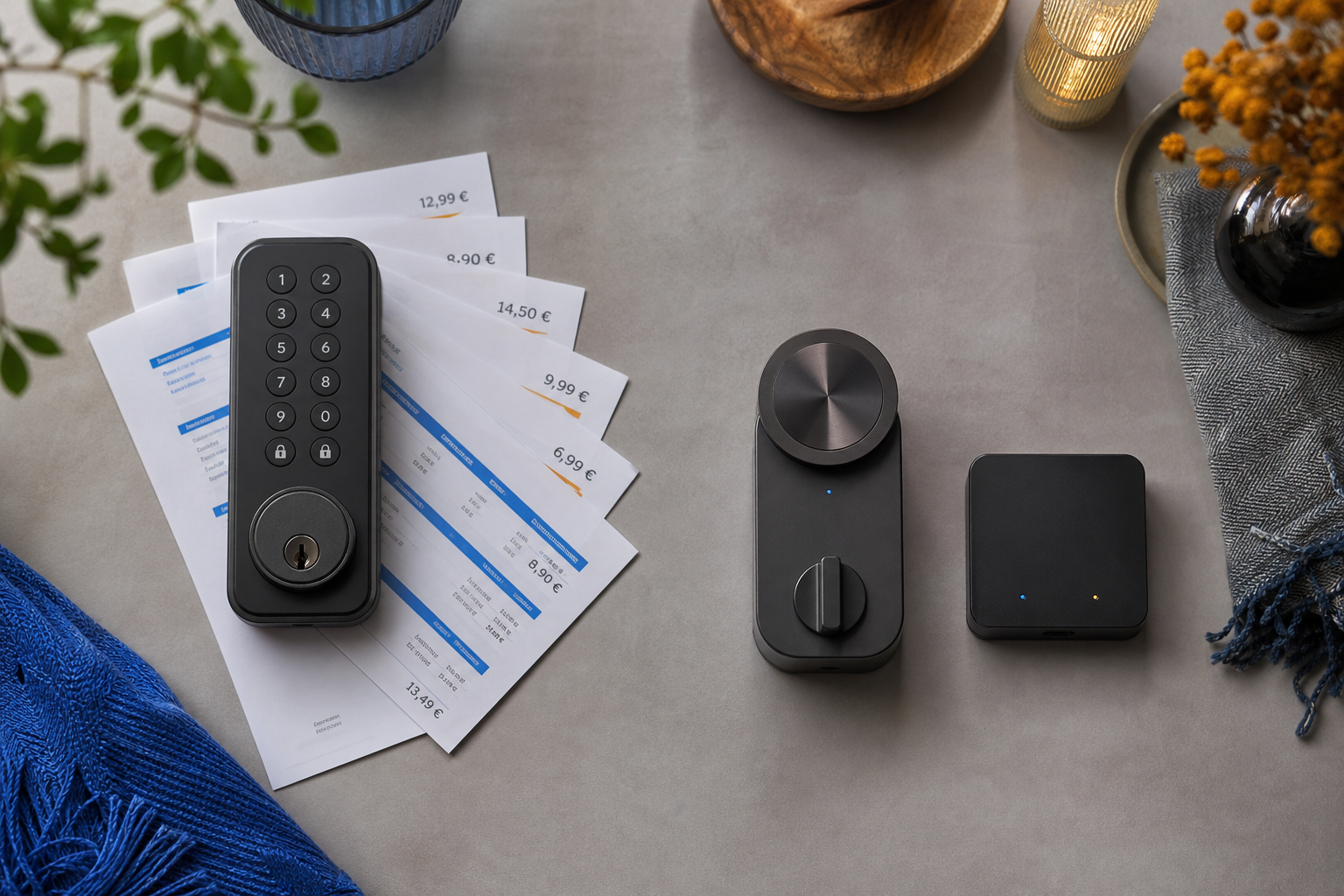
Zamek chmurowy za 150 € z miesięczną opłatą 5 € to zamek za 450 €. Wyłączanie abonamentu z rozmowy to sposób, w jaki branża sprzedaje Ci to samo urządzenie trzy razy.
Odpowiedzi na pytania kupujących, zanim złożysz zamówienie
Poniżej znajdują się pytania, które czytelnicy wpisują w Google między dodaniem zamka do koszyka a kliknięciem „kup". Każda odpowiedź jest konkretna.
- Jeśli mój internet padnie, czy zostanę zablokowany na zewnątrz? Nie. Home Assistant działa całkowicie w Twojej lokalnej sieci. Każdy telefon, tablet lub laptop podłączony do domowego Wi-Fi może zablokować lub odblokować drzwi przez aplikację Home Assistant lub interfejs webowy — nawet przy fizycznie odłączonym kablu WAN od routera. Tracisz jedynie możliwość sterowania zamkiem spoza domu, czego większość czytelników w typowy dzień faktycznie nie potrzebuje. Zamek chmurowy, dla kontrastu, zawodzi na etapie aplikacja-do-serwera i odmawia poleceń z każdego urządzenia, w tym z telefonu leżącego metr od drzwi. To definiująca różnica behawioralna między stosem zamka offline a zamkiem chmurowym i jest to najważniejsza pojedyncza odpowiedź w całej decyzji zakupowej.
- Wynajmuję. Czy mogę to zainstalować bez wiedzy właściciela? W przypadku drzwi z wkładką euro-cylindrową — standardem w polskich mieszkaniach — tak. Nuki, Tedee i Loqed montują się na istniejącej gałce od wewnątrz. Bez wiercenia, bez wymiany wkładki, w pełni odwracalne w mniej niż 10 minut. Weź zamek ze sobą, gdy się wyprowadzasz. Istniejący klucz właściciela nadal działa od zewnątrz przez cały okres najmu. Integracja Nuki z Home Assistant działa w czystym trybie lokalnym, więc nawet producent nie wie o instalacji przez najemcę, jeśli pominiesz opcjonalne konto chmurowe.
- Czy to zadziała z moim istniejącym systemem Fibaro, Grenton lub Keemple? Nie bezpośrednio. To zamknięte ekosystemy, które nie łączą się z Home Assistant z powodów bezpieczeństwa i własności intelektualnej. Jeśli już posiadasz Fibaro Home Center, możesz albo uruchomić