
Smart Home Automation for Pet Owners: Convenience and Care
Smart Home Automation for Pets: A Practitioner's Guide to Devices That Actually Work
It's 2:47 p.m. on a Tuesday. You're three meetings deep, and your pet camera just pinged: the water bowl has been knocked over, again, and your dog is staring at it from across the room. Smart home automation for pets is supposed to prevent exactly this scenario — yet most owners discover, somewhere between the second app update and the third subscription notification, that they bought devices to fix the wrong problem. The issue isn't whether smart pet devices work. It's that device choice rarely matches the actual gap in the pet's routine. This guide separates what automation genuinely fixes from what it cannot replace, and gives you a practitioner-grade framework to evaluate any device before you buy it.
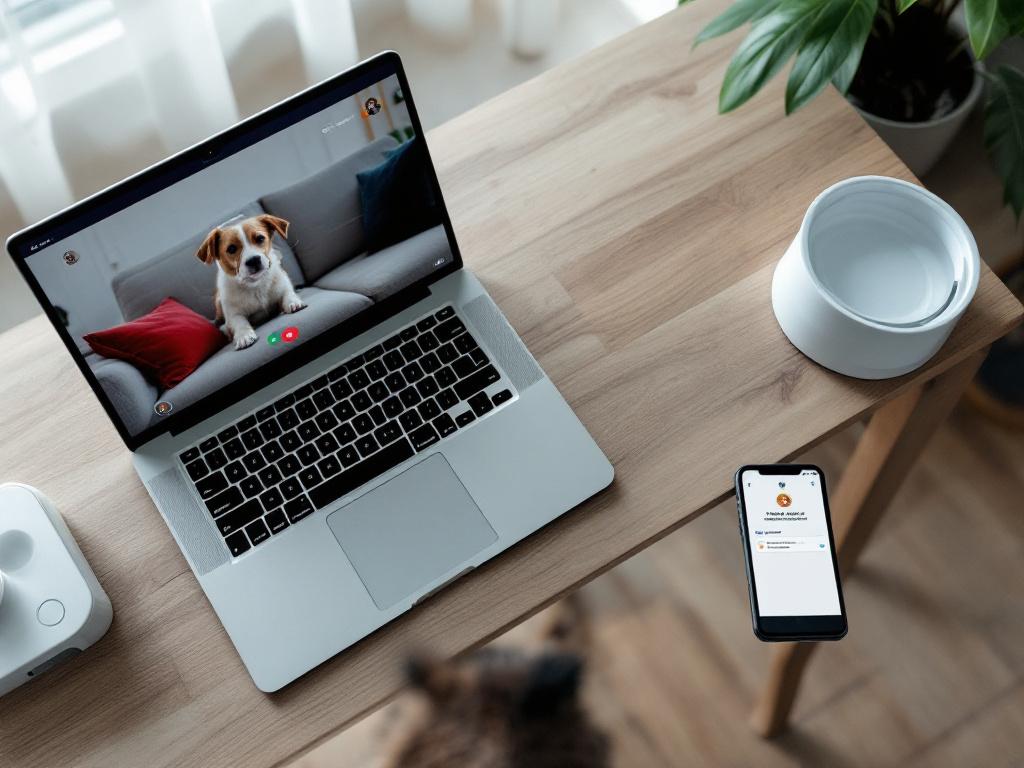
Table of Contents
- Why Most Pet Owners Buy the Wrong Smart Device First
- What Pet Automation Genuinely Fixes — and the Three Problems It Cannot Solve
- The Five Smart Pet Device Categories, Mapped to the Problems They Solve
- One App per Device or One Hub for Everything: The Architecture Decision
- What It Actually Takes to Keep Smart Pet Devices Running
- Six Failure Modes That Render Smart Pet Devices Useless
- The Twenty-Question Pre-Purchase Checklist for Any Smart Pet Device
- Smart Pet Device Questions Owners Ask After the Purchase
What Pet Automation Genuinely Fixes — and the Three Problems It Cannot Solve
Smart home automation for pets addresses four genuine pain points. Be specific about which one applies to your household before you spend a dollar.
Inconsistent feeding timing. Automated pet feeders dispense pre-portioned meals at programmed intervals, which solves consistent meal timing and portion control for working owners and multi-pet households. The limitation is narrow but important: a feeder solves timing, not appetite, and not food freshness between refills. If your pet has a variable appetite or you're trying to manage a slow eater, the feeder will dispense regardless of whether yesterday's portion was finished.
Remote monitoring of behavior. Pet cameras with two-way audio let you check on a dog or cat during work hours and speak to them remotely, according to EdgeUp Technology's pet smart home guide. Frame this honestly: cameras provide information, not intervention. You can see that your dog has been pacing for forty minutes. You cannot leave the meeting and walk him.
Hydration consistency. Smart water fountains circulate and filter water, which encourages intake — particularly relevant for cats, who are notoriously reluctant drinkers from still bowls, according to a Petsies guide on smart home pet improvements. The trade-off is pump noise and a weekly cleaning routine that, if skipped, makes the fountain dirtier than the bowl it replaced.
Environmental comfort during absence. Smart thermostats hold pet-appropriate temperatures while you're away, and automated lighting at sunset reduces anxiety for pets whose owners run late, according to Google Home's pet automation guidance. This is the lowest-friction category in pet care technology — these devices serve humans equally and require no pet-specific maintenance.
Now the harder section. Three problems no smart device will solve, regardless of marketing claims.
Loneliness and under-stimulation. A camera lets you watch a bored dog. It does not exercise him. The honest concern is that remote monitoring sometimes becomes a license to extend work hours — owners check in, see the pet "looks fine," and stay another two hours. The pet's underlying problem compounds. No app fixes the fact that a working dog needs ninety minutes of activity per day.
Destructive or anxiety-driven behavior. No device prevents chewing, marking, barking, or panic responses to thunder. These are training and behavioral issues, sometimes veterinary issues, and they belong with a certified behaviorist or your vet — not with a hardware purchase.
Genuine medical events. An automated medication dispenser ensures the pill is offered on schedule. It cannot confirm the pet swallowed it. It cannot respond to a seizure, a vomiting episode, or a sudden refusal to eat. For a senior pet on a critical medication, the dispenser is a scheduling aid, not a medical-grade safeguard.
The reframe that matters: stop asking "which smart pet devices should I get?" The better question is "which two hours of weekly labor would I most like to automate, and what's the failure cost if the device malfunctions on a Tuesday afternoon?" That second clause is where most buying decisions go wrong. A feeder that fails for one missed meal is a different risk profile than a medication dispenser that fails for a diabetic cat.

A smart feeder solves timing, not appetite. A camera solves monitoring, not loneliness. Each device has a ceiling, and most pet owners hit it sooner than expected.
The Five Smart Pet Device Categories, Mapped to the Problems They Solve
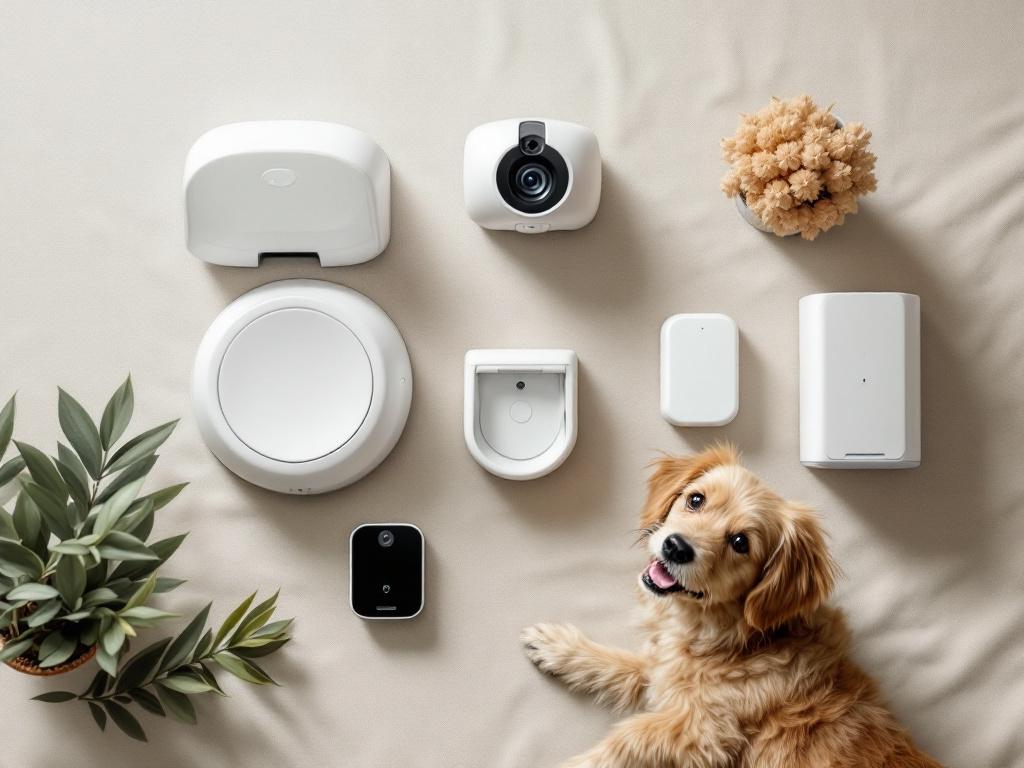
Device choice depends on which gap in your pet's routine is largest. The table below maps the five categories that matter to the problems they actually solve and the documented limitations to plan around.
| Device Type | Primary Problem Solved | Best Fit Profile | Documented Limitation |
|---|---|---|---|
| Automated pet feeders | Meal timing and portion consistency | Working owners; multi-pet households | Does not monitor freshness or confirm consumption |
| Smart water fountains | Encouraging hydration via circulation | Cats; senior pets; warm climates | Pump noise; weekly cleaning required |
| Pet cameras (two-way audio) | Remote visual check-ins and verbal interaction | Anxious pets; long workdays | Provides information only, not intervention |
| Smart pet doors | Controlled access for individual pets | Multi-pet homes; outdoor cats | Power and connectivity dependent |
| Automated medication dispensers | Scheduled dosing and log history | Senior pets; chronic conditions | Owner must refill; cannot confirm ingestion |
Sources: CEDIA's smart homes for pets guide and ALLO Communications' best smart pet tech overview.
Three concrete persona-pet matches show how this maps in practice.
The long-hours apartment cat owner. The highest-impact device is a smart water fountain — cats underdrink, and circulation measurably increases intake — paired with an automatic feeder for grazing schedule control. A camera is optional. It provides reassurance to you, but it doesn't change the cat's experience of being alone. Total entry cost is typically lower than for dog owners because cats need fewer interaction-focused devices.
The senior dog with chronic medication. The highest-impact device is an automated medication dispenser, paired with a camera positioned at the dispenser, so you can verify the pill was actually consumed. Feeders matter less if the dog's appetite is unreliable — you may want manual control over how much went in the bowl on a given day. Connectivity is non-negotiable here; if your home's wireless network drops frequently, address that before adding medication-critical devices, and consider whether your home's wireless network can carry the load.
The multi-pet household with one outdoor cat. A microchip-activated smart pet door is the highest-leverage device — it solves a problem manual solutions cannot, by giving selective access to one specific pet. Feeders only earn their place if pets eat at different schedules or different diets; otherwise the fastest pet eats first regardless of what you programmed.
The working principle: buy the device that solves your single largest weekly friction point first. Add a second device only after the first has run reliably for 60 days. That waiting period is how you learn whether the device actually fits your household — or whether it's a maintenance burden you'll resent by month four.
One App per Device or One Hub for Everything: The Architecture Decision
The trade-off is straightforward: standalone devices have lower entry friction but compound the app management burden as you add more. Integrated ecosystems — Google Home, Amazon Alexa, Apple Home — have higher upfront commitment but consolidate control into a single dashboard.
| Decision Factor | Standalone Devices | Integrated Ecosystem |
|---|---|---|
| Initial setup time | 10–15 minutes per device | 30–45 minutes for hub |
| App management | One app per brand | Single dashboard |
| Voice control | Device-dependent | Native to the hub |
| Cross-device routines | Limited or none | Lights + feeder + thermostat together |
| Compatibility risk | Firmware can break links | Lower within ecosystem |
| Brand lock-in | Low | Moderate to high |
Ecosystem capabilities and cross-device routines are documented in Google Home's pet automation guidance.

The honest analysis: most pet owners buying their first smart device should go standalone. A single feeder with its own app is simpler, the management overhead is trivial, and you haven't locked yourself into a platform before you know whether smart pet devices fit your life. The ecosystem case strengthens once you own three or more connected devices.
The practical inflection point is well-defined. At three devices, app-switching becomes friction. At five, it becomes a daily annoyance — you open one app to check the camera, another to adjust the feeder schedule, a third to confirm the pet door logged today's exits. Owners who plan to add cameras, feeders, fountains, and smart bulbs over a 12–18 month horizon should commit to an ecosystem early. Retrofitting is more painful than starting consolidated, which makes this part of broader smart home design decisions worth thinking through before the first purchase.
The under-discussed factor is routine automation. An ecosystem can trigger a "pet bedtime" routine that dims lights, dispenses an evening snack, and confirms the pet door is locked — in one voice command or one schedule. Standalone setups cannot replicate this without third-party glue like IFTTT, which adds its own fragility and another account to maintain.
The trade-off readers undersell: ecosystems centralize data. Voice assistants log device interactions. Pet cameras stream through cloud infrastructure controlled by Amazon, Google, or Apple. Privacy-sensitive readers should consider whether they want a single vendor holding their pet's feeding schedule, video footage, and home occupancy patterns. Standalone devices spread that data across multiple vendors — also imperfect, but differently distributed.
The practical recommendation breaks down by current state. If you own zero smart home devices and want to start with one pet device, go standalone. If you already own a smart speaker, lean into that ecosystem and buy compatible hardware. If you're planning a four-plus-device pet automation buildout, design the ecosystem first, then choose devices that work within it.
Standalone devices feel cheaper until you are managing five separate apps. Ecosystems feel expensive until every new device just works.
What It Actually Takes to Keep Smart Pet Devices Running
Smart pet automation does not eliminate labor. It shifts it. The five-stage operational reality below is what the vendor websites won't tell you in plain language.

Stage 1: Pre-Purchase Verification (about 15 minutes)
Confirm your WiFi reaches the device's intended location with full signal — most pet feeders and cameras require 2.4 GHz, and some newer models support 5 GHz. A device that drops connection three times a day is worse than no device at all because it trains you to ignore alerts.
Identify any required subscription. Some pet cameras gate cloud storage and motion alerts behind monthly fees, and some feeders charge for advanced dosing logs, according to ALLO Communications.
Confirm power requirements. WiFi-dependent devices fail during power outages unless paired with a battery backup or UPS. For a feeder, a four-hour outage is annoying. For a medication dispenser feeding a diabetic cat, it's a different conversation.
Stage 2: Initial Setup (30–45 minutes for the first device)
Connect the device to your home WiFi. Download the manufacturer app, create an account, and link to your ecosystem hub if you're using one. Run a full test cycle with your pet present — not the morning you leave for an eight-hour day. Watch how the pet reacts to the noise of the dispenser motor, the click of the door, the indicator light. Some pets bolt the first time the feeder fires. You want to know that on a Saturday, not on a Wednesday morning when you're already in the car.
Stage 3: Recurring Weekly and Monthly Maintenance
Refill hoppers and water reservoirs on a fixed weekly cadence. App alerts help, but they don't replace the routine — alerts get muted, ignored, or lost in notification fatigue.
Clean feeder ports and camera lenses monthly to prevent blockages and image degradation, a maintenance pattern documented across pet smart home guides like EdgeUp Technology's. Smart kitchen appliances follow a similar maintenance cadence — anyone who has owned a connected dishwasher knows the rhythm.
Apply firmware updates promptly when prompted. These often include security patches, particularly for cameras and devices that touch your home network, according to CEDIA's smart homes for pets guidance.
Test connectivity monthly by intentionally restarting your router and confirming devices reconnect without manual intervention. The devices that need to be re-paired every time the power flickers are the ones you'll abandon by month six.
Stage 4: Troubleshooting Preparation
Document the manufacturer's support channels and warranty terms before you need them — when a feeder fails at 6 a.m., you don't want to be searching for the support email address.
Screenshot your initial setup steps. Many devices require you to repeat them after firmware resets or factory restores, and the in-app instructions sometimes change between versions.
Keep your WiFi password accessible somewhere other than the phone you may not have during a setup glitch. Written on paper, stored in a password manager — anywhere it isn't trapped behind the device that's currently broken.
Stage 5: Quarterly Privacy and Subscription Audit
Review what data each app is collecting. Disable location tracking and microphone access where they're not needed for core function.
Confirm where camera footage is stored — local SD card or cloud — and for how long. Some platforms quietly extend retention; others shorten free tiers without prominent notice.
Check subscription renewals. Many pet apps shift features behind paywalls between annual cycles, and a $7/month charge that started as a 30-day trial gets easy to miss on a credit card statement.
The 6 a.m. manual feeding becomes a Sunday-evening hopper refill plus a monthly cleaning plus a quarterly privacy review plus the annual firmware crisis. For tech-tolerant owners, that's a clear win — labor moves out of the daily grind and into discrete blocks. For owners with unreliable internet or low patience for app troubleshooting, the math is closer than marketing suggests. Set the expectation honestly before you buy.
Six Failure Modes That Render Smart Pet Devices Useless
Every category of smart pet device fails in predictable ways. The owners who avoid the worst outcomes are the ones who plan for failure modes before they happen.
1. WiFi dropouts make smart devices inert. A reliable internet connection is required for every cloud-dependent pet device, according to ALLO Communications. When WiFi drops, scheduled feedings may still execute on local memory, but remote camera access, alerts, and ecosystem routines stop. Prevention: choose devices with offline-mode scheduling, where the feeder fires regardless of connectivity. Keep one manual feeder or a non-smart timed feeder as backup for week-long outages or travel.
2. Pets defeat the hardware. Smart water fountains get knocked over. Feeder hoppers get pried open by determined dogs. Smart pet doors get bypassed by clever cats or, less amusingly, by raccoons. Prevention: plan around your specific pet's destructive tendencies. If your dog has opened every container in the house, assume it will open the feeder. Buy hardware with locking lids and weighted bases, and place fountains where a tail-swipe doesn't end the workweek.
3. Manufacturer abandonment bricks devices. If the manufacturer shuts down its app or pivots its business model, your device may become unusable or require a paid replacement. Pet tech is a churning market with many small companies — and a smart device without its app is, in many cases, a brick. Prevention: before buying, confirm the company has been in business at least three years and has a credible product roadmap. Avoid committing five devices to a single startup brand whose funding history you can't verify.
4. Subscription creep inflates total cost. Free cloud storage gets throttled. Motion-detection alerts move behind paywalls. Some pet feeders charge monthly fees for dosing logs. Prevention: calculate three-year total cost — device price plus 36 months of any required subscription — before purchase. A $150 feeder with a $10/month required subscription costs roughly $510 over three years, which changes the value calculation against a $300 feeder with no subscription.
5. The loneliness substitution problem. Two-way audio cameras let owners speak to pets remotely, but they don't replace exercise, socialization, or actual presence. Some owners use remote monitoring as license to extend work hours, which compounds the underlying problem. Prevention: treat the camera as a check-in tool, not a relationship maintenance tool. If your remote check-ins reveal a pet who is bored, anxious, or destructive, the answer is more time at home or a dog walker — not a higher-resolution camera.
6. Device sprawl becomes its own burden. The pattern is familiar: buy a smart feeder, then add a camera, then a door sensor, then a water fountain. Now you're managing four apps, four firmware schedules, four batteries, four privacy policies. Prevention: adopt the 60-day rule. After each new device, run it for 60 days and verify it has reduced more friction than it added. Only then consider the next device. The owners who skip this step are the ones with three unused devices in a closet by month nine.
Smart pet automation does not eliminate labor. It shifts it from daily feedings to monthly firmware, from physical tasks to digital ones. Decide which kind of work you would rather do.
The Twenty-Question Pre-Purchase Checklist for Any Smart Pet Device
Run any smart pet device candidate through these twenty questions before purchase. If more than four answers are "no" or "I don't know," the device is not yet right for you — or you haven't done enough research to commit.
Problem-Fit
- Does this solve a specific weekly friction point I can name in one sentence? If you can't name the problem, you're buying a solution looking for one.
- Would this device save more than three hours per week? Below that threshold, the maintenance overhead may exceed the time saved.
- Have I tried a non-smart alternative first? A $20 gravity feeder may solve roughly 80% of what a $200 smart feeder does.
- Does my pet have a documented behavioral or medical issue that requires this kind of monitoring? Be honest — convenience and necessity are different purchases.
Practicality
- Does my WiFi reach this location with full signal strength? Check from where the device will actually sit, not from the room next door.
- Will my specific pet physically defeat or destroy this device? If the answer is "probably," buy reinforced hardware or skip the category.
- Can I commit to weekly refilling and monthly cleaning? The maintenance cadence does not negotiate.
- Do I have a backup plan if the device fails during a workday? The plan should be specific — not "I'll figure it out."
Ecosystem Alignment
- Does this work with my existing smart home hub (Google, Alexa, Apple)? Compatibility lists change; check current status.
- If I don't have a hub, am I willing to commit to one for this device? If no, stay standalone.
- Does this device's app talk to my other pet device apps, or will I be managing them separately?
Cost Reality
- What is the three-year total cost — device, accessories, and any required subscription?
- Does this device require a subscription for its core function, not just bonus features? Core-function subscriptions are dealbreakers for some buyers.
- If it fails after 18 months and is out of warranty, will I replace it or abandon the category? This tells you how much you actually value the function.
Vendor Trust
- Has this manufacturer been in business at least three years? Pet tech startups have a high failure rate.
- Do recent reviews mention app crashes, abandoned features, or unresponsive support? Look at reviews from the last six months specifically.
- Can I reach customer support by phone or email — not just a chatbot? When a device fails on a Sunday, this matters.
Privacy and Data
- Does this device record video or audio? Where is the footage stored, and for how long?
- Can I disable telemetry and location tracking without breaking core function? Test before committing.
- If the company is acquired or shuts down, what happens to my data? The privacy policy should answer this — if it doesn't, that's an answer in itself.
Tally your answers. Zero or one "no" — proceed with confidence. Two to four "no" answers — the device is workable, but flag those gaps and monitor them after purchase. Five or more — pause. Either the device is wrong for your situation, or you haven't done enough research to commit. Revisit after testing a non-smart alternative or strengthening your home's WiFi infrastructure first.
Smart Pet Device Questions Owners Ask After the Purchase
The questions that come up after a device is in the house are different from the ones in the marketing copy. These four cover the patterns most owners run into within the first 90 days.
Will my smart feeder still work if my WiFi goes down?
Most modern automated pet feeders store the feeding schedule on local memory and continue dispensing on schedule even when WiFi is disconnected. What you lose during an outage: remote schedule changes, feeding alerts to your phone, and ecosystem integration. Confirm offline-mode behavior in the manufacturer's specs before buying — a few cheaper feeders are cloud-dependent and stop working entirely when disconnected. For critical feedings, pair the smart feeder with a backup gravity feeder for outages exceeding 24 hours, especially if you travel often or live somewhere with unreliable power.
How long do pet camera batteries actually last?
Most pet cameras are AC-powered rather than battery-powered, because continuous video streaming drains batteries quickly. Battery-powered models advertising weeks of life are typically motion-activated and only stream when triggered — useful for a back porch, less useful for monitoring a dog on a couch all day. If continuous monitoring matters to you, plan to plug the camera in. Confirm whether the camera supports a UPS or battery backup if you experience frequent power outages. A camera that loses power mid-workday provides no value, and battery-only cameras are best suited for outdoor or temporary placement, not primary monitoring.
Can I use smart pet devices in a multi-pet household with different schedules?
Yes, but device choice matters. Microchip-activated feeders and pet doors recognize individual pets and only release for the targeted animal — useful when one pet is on a prescription diet or one cat goes outside while another stays in, according to CEDIA. Standard automatic feeders cannot distinguish between pets, so a multi-pet home with shared feeders will see the fastest pet eat first regardless of which bowl was assigned to whom. Multi-pet households should budget more per device — microchip-enabled hardware costs roughly two to three times standard equivalents, but for the right scenario, it's the only thing that actually solves the problem.
Is smart pet tech more useful for cats or dogs?
Different problems, different value. For cats — particularly indoor or single-cat households — smart water fountains and automatic feeders address two genuine cat-specific issues: low water intake and grazing schedules. Cameras matter less because most cats self-regulate while alone and don't seek interaction with a screen. For dogs, cameras with two-way audio offer more value because dogs are more likely to experience separation distress and respond to a familiar voice. Dogs also benefit more from smart pet doors with yard access, which gives them a release valve for energy that cats don't typically need. The general rule: cats benefit most from environmental devices; dogs benefit most from interaction devices. Match the device to the species' actual behavior, not to what the marketing image shows.